
April 2026 Newsletter
Video: Getting Started with Milestones Professional
We added a new video that covers some of the basics in Milestones Professional. It’s just a quick intro video (13 minutes or so) but it covers a lot of the things that are in the Getting Started PDF in the Help Tab, but in a video form!
See how to add symbols and bars, change some basic layout, formatting, color settings, move symbols and bars, move entire task rows, add text to symbols and cells. It should prove useful for new users, and also returning users!
Check out the video below:
Check out our Videos page to see all of our available videos. You can also directly go to our Youtube Channel to see them as well.
Be sure to Subscribe to our Youtube Channel for all the latest and greatest Milestones software videos!
April 2026 Tips and Tricks
For these and more, view Tips and Tricks for April 2026
Shade every other task row
I want to add a background color to every other line in order to read the schedule more easily.
Show curves and bars in DataGraph
I need to create a data graph with both bars and lines on the same DataGraph area. It appears that DataGraphs can either be bar graphs or line graphs, but not a mix. Suggestions?
No commas in Values columns
How can I delete commas for values which run in the thousands? For example 2371 is currently shown as 2,371. Due to space limitations I want value to appear without commas (as 2371).
No task names on symbol following import
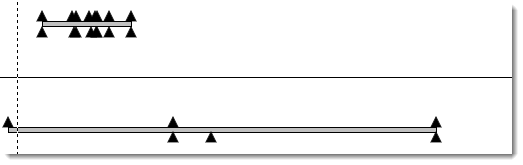
I imported MS project to Milestone Pro but the task names do not appear above the milestones. See picture below:
Percent complete pie color
When using the Percent Complete SmartColumn, how do you change the color of the pie chart that appears?
Add a bitmap symbol to the toolbox

Add many symbols above and below a bar
I want to show milestones above and below the task bar so I can have a condensed presentation format. Please advise the steps on how to show symbols above and below the task bar.
Add text to a horizontal bar
I want to have text inside a horizontal bar on my schedule. Is this possible?

Automatically update % complete on a bar
I want the percent complete value to populate as symbol text when a symbol-horizontal bar-symbol is added to the schedule.
Copy a task row from one schedule to another
Is there a way to copy a symbol row with text into another schedule? I’ve tried to copy and paste the row into a new chart, but it didn’t work.
Show vertical connections on top of or behind bars
How can I get the vertical link behind the task bar and not in front?

For these and more, view Tips and Tricks for April 2026
Upgrade to Milestones Professional 2025
Click here to Upgrade to Milestones Professional 2025 for only $199 (if you already own any version of Milestones Professional).
To see what has changed, check out our “What’s New in Milestones Professional 2025” page.
Join the Milestones Professional Users LinkedIn Group
For anyone interested, there’s a free Milestones Professional user group on LinkedIn you can join to share best practices, network with other users, and maybe learn some tips along the way from other experienced Milestones users. To join, head over to the following website and click Join: https://www.linkedin.com/groups?home=&gid=6796817
Note: This user group is an unofficial group run by Milestones software users, and is not managed by KIDASA Software, Inc. A free LinkedIn account is required to join the group.