What is Milestones Professional?
Milestones Professional is a project scheduling and management tool, which can be used in conjunction with Microsoft Project, Excel, Oracle Primavera, and more:

Milestones Professional is a project scheduling and management tool, which can be used in conjunction with Microsoft Project, Excel, Oracle Primavera, and more:
Milestones Professional makes planning, organizing, communicating and tracking projects fast and easy. Designed for anyone who spends time scheduling or managing projects, Milestones Professional makes fast work of scheduling efforts. Project managers who need to put together presentation ready project schedules will find Milestones Professional to be a scheduling software product that is truly a joy to work with.

Most project management software offers an assortment of display options, but Milestones Professional’s huge built-in assortment of symbols and bars is second to none.
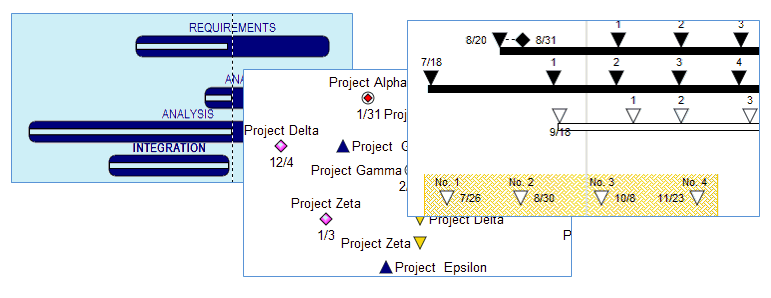
As many as 500 individual project milestones can be added to any task row on the schedule. They can be stand-alone project milestones or can represent project start and end dates. Create a “Birds on a Wire” chart like this one…..

…or have many bars represent several sub-tasks plus their start and end dates, on one row

With “logarithmic” time scales it’s easy to show all of the project’s dates on a project schedule, including those far in the future. Choose to expand the dates on the project schedule which require immediate attention.

Expand selected years on the project schedule:

or expand months:

Fill bars and symbols to show activity progress. Choose a color for the progress up to the status date, and a different color after the status date. Individual tasks and individual bars on the same task can be adjusted to reflect whether they are on schedule, behind schedule, or ahead of schedule.

Percent Complete SmartColumns display the percentage with an optional percent complete pie, or just the percent complete pie symbol, as measured by the status symbol (here, the arrow symbol).

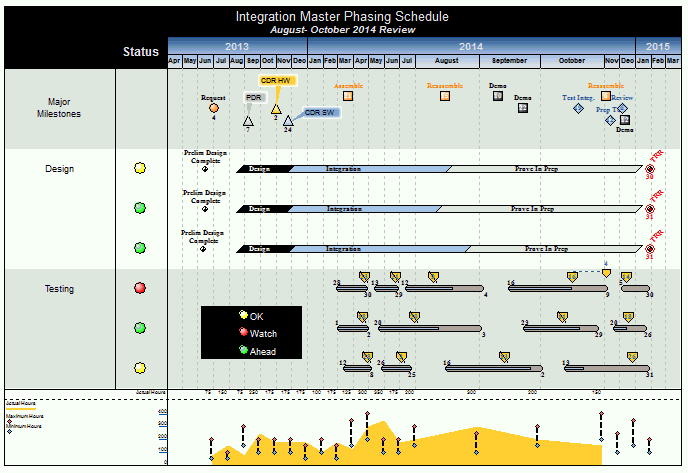
There are times when you want to make a presentation that’s short, to the point, and conveys crucial information quickly. That’s when Milestones Professional comes in handy. Milestones makes it easy to communicate a lot of vital project information all on a single page. Create integrated master schedules, swim lane reports, “birds on a wire” reports, and much more!

The nice thing about Milestones Professional is that it can make you a hero. That’s right. When you put the power of Milestones to work, you’ll transform Microsoft Project, Microsoft Project Server, or even Primavera schedules into attractive, persuasive, executive-level presentation reports that get noticed. And get you noticed! And don’t worry about making changes to your schedules. When your project schedules change (which they often do!), you can choose to “refresh” the presentation schedule with the latest dates from Microsoft Project or Primavera.
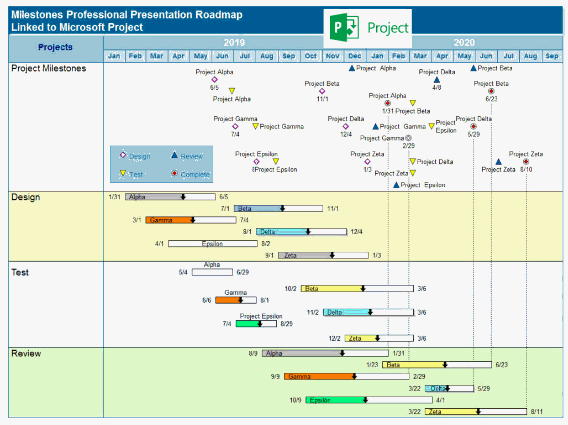
Using the Project to Milestones “wizard” create a wide variety of presentation reports
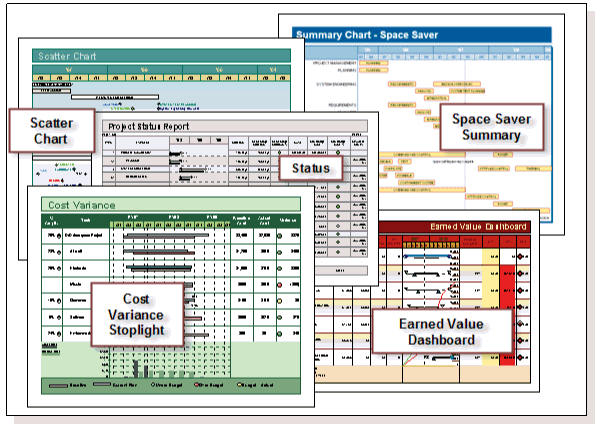


With Milestones Professional, it’s easy to instantly get the “big picture” and see how your project is progressing. Easily add stoplight indicators, percent-complete pie charts, and status symbols to any project schedule. Using these, you’ll see “at a glance” the exact status of your project. At last you’ll be where you’ve always wanted to be. In complete control of your project!

Display a wide variety of indicator symbols using a Stoplight SmartColumn. Stoplight SmartColumns offer a quick and easy method for adding stoplights, with no setup needed.


Merge two or more sub-schedules into a single master schedule to get a top-level view of multiple projects. Simply update the master schedule to see the latest sub schedule information.

Manage multiple projects through symbol linking. Base the date of a symbol on a different symbol in another schedule or the same schedule. In the example below, when a linked symbol in Project 1 Detailed Report moves, the corresponding symbol on Project Status Overview moves also.

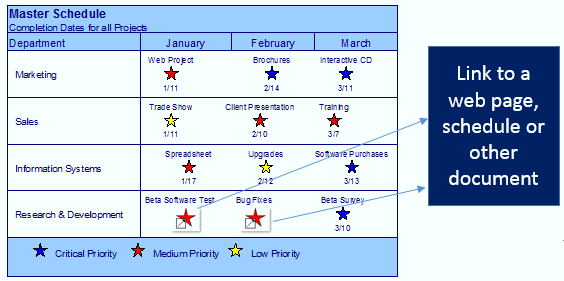
Any symbol or task row on the schedule can have hyperlinks to other schedules, documents or Internet web pages. Once linked, it’s possible to open the objects with a click of the mouse. This makes it possible to use a Milestones Professional schedule to manage all aspects of a project!
Instantly switch the time period displayed in the date headings to a daily, weekly, monthly, quarterly, or yearly view. Simply right-click the date heading and select a view, including the original view. Learn more.


Good news! Milestones Professional offers many ways for you to quickly and easily share your reports.
Milestones lets you …
Earned Value Management is an extremely useful project management system that combines schedule and cost performance. It was designed to help you answer the important question: “What did we get for the money we spent?”
Milestones Professional can give you the answer. Fast. You see, Milestones can add costs, calculate earned value, and present these and other important numbers in a variety of handy formats.
In addition to having powerful scheduling and tracking capabilities, Milestones Professional can also display graphs relating to the schedule.

Perform mathematical (+, -, X, /) on values which are entered into columns for tasks on the schedule. Optionally display an indicator (like a stoplight or a % complete pie) for easy insight into key project metrics.


Produce reports showing Earned Value, Planned Value, Actual Costs, CPI, SPI, EAC, and EVMS fields using user-entered values, calculated values, imported values from MS Project, or a combination of these options.

Getting schedule information into Milestones Professional from just about any other Windows software package is easy. Simply copy information from another application to the Windows clipboard, and then paste into Milestones Professional.
And, new in Version 2017, is a refresh feature which makes it possible to update the Milestones Professional schedule when the dates in the spreadsheet change.




Thanks – and thanks for all the wonderful support – the more we learn to use your product, the more we like!
I would just like to comment on how impressed I have been with your operations.I have been in the IT industry for over 15 years and can’t think of any company, regardless of size or product, that is as consistent and focused on product support and improvement.
I have some folks from another large company coming to our office next week to see how we are using Milestones Professional to create the cross-project links report. The report has been well-received internally here at Alliant Energy. Am also giving a demo on the same topic at our Madison chapter of MPUG (Microsoft Project Users Group) in the near future. So, you might be getting more business from others in this area.
Thank you for your prompt reply. I’m very impressed with KIDASA’s product support. It reflects well on your company.
We have a lot of example schedules on our website – see what kind of output is possible with Milestones Professional.
We also have a lot of videos and video tutorials related to Milestones Professional – we’re adding more all the time.
Check out Milestones Professional yourself – the only limit is your imagination (and 20 file saves)!