
December 2025 Newsletter
Video: Default Templates in Milestones Professional
Did you know that you can modify your default template, and save it to your computer so that Milestones Professional knows what to use as your default template?
Check out this video to see how!
Check out our Videos page to see all of our available videos. You can also directly go to our Youtube Channel to see them as well.
Be sure to Subscribe to our Youtube Channel for all the latest and greatest Milestones software videos!
December 2025 Tips and Tricks
For these and more, view Tips and Tricks for December 2025
Add pages to the schedule
How do I add a page to my schedule?
Fiscal and calendar quarters
How can I set up both fiscal and calendar years/quarters?

Shade individual task rows
I want to add a background color to individual tasks in a column. For example, some of my tasks need to be shaded with a silver background. How do I do this?
Shade multiple rows at one time
Can you tell me if there is a trick to shading multiple rows? I usually end up shading row by row.
Move Milestones to primary monitor
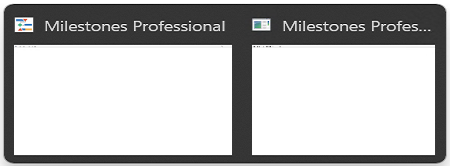
The Milestones application does not open properly. When we attempt to launch it, the application loads briefly and then disappears. When hovering over it in the task bar, it only displays a white screen (see screenshot:).
Freeform text doesn’t stay in place
The Freeform Text Box seems to be floating with different zoom levels. I want the text box aligned to the outer frame but it shifts depending on the zoom level and sometimes goes past the edge.
Get rid of the dates on the symbols
I do not want the date to appear with my symbols. Can I make this go away somehow?
Color code a symbol in a column
I have created a stoplight chart. I want to color code an entry that is in a column. I want the color to be red if it is an internal deliverable and blue if it is an external deliverable. Is this possible?
Only part of schedule appears in PowerPoint
I used the Copy All Pages to PowerPoint feature to get my schedule into PowerPoint. Only part of each page of the schedule appears in PowerPoint. Any ideas?
For these and more, view Tips and Tricks for December 2025
Upgrade to Milestones Professional 2025
Click here to Upgrade to Milestones Professional 2025 for only $199 (if you already own any version of Milestones Professional).
To see what has changed, check out our “What’s New in Milestones Professional 2025” page.
Join the Milestones Professional Users LinkedIn Group
For anyone interested, there’s a free Milestones Professional user group on LinkedIn you can join to share best practices, network with other users, and maybe learn some tips along the way from other experienced Milestones users. To join, head over to the following website and click Join: https://www.linkedin.com/groups?home=&gid=6796817
Note: This user group is an unofficial group run by Milestones software users, and is not managed by KIDASA Software, Inc. A free LinkedIn account is required to join the group.